WordPress Plugin

WPStories Image Optimizer

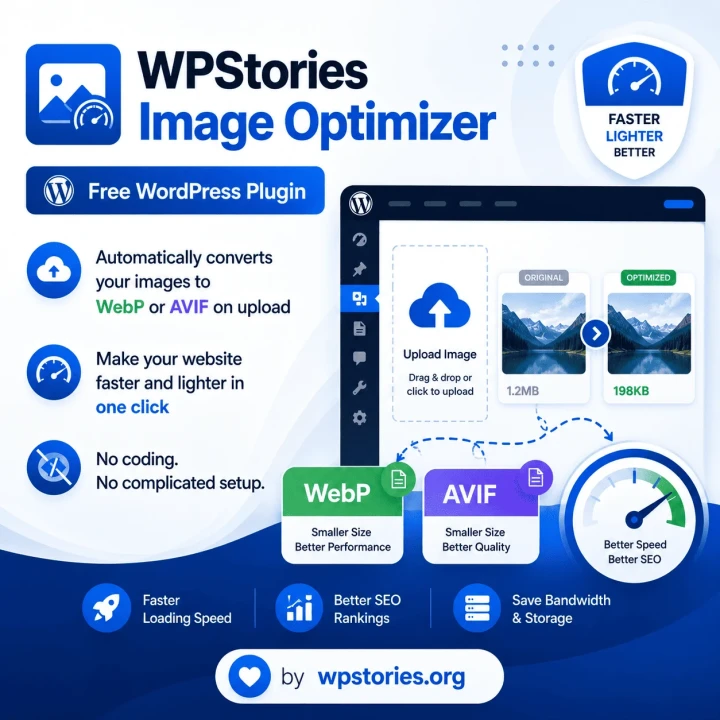
Free WordPress plugin that automatically converts your images to WebP or AVIF on upload — making your site faster and lighter in just one click. No coding needed, no complicated setup.

All Plugins
WPStories Image Optimizer

WPStories Image Optimizer is a free WordPress plugin that automatically converts your uploaded images to WebP or AVIF format — making your website faster, lighter, and more SEO-friendly with zero effort.

Simply install and activate the plugin. Every image you upload to the Media Library will be automatically converted to your preferred format. All thumbnails generated by WordPress are also converted, so your entire site benefits from smaller, faster images.

Key Features

  • 100% Free — No premium tiers, no hidden costs, no upsells.
  • Automatic Conversion — Converts images on upload to WebP or AVIF.
  • Thumbnail Optimization — All WordPress-generated sizes are also converted.
  • Bulk Optimizer — Convert thousands of existing images at once.
  • Quality Controls — Adjust compression settings for each format.
  • EXIF Stripping — Remove metadata to reduce file sizes further.
  • Original Backup — Optionally keep original files alongside converted versions.
  • GD & Imagick — Works with either PHP extension.

Why WebP & AVIF?

Modern image formats offer significantly better compression than traditional JPEG and PNG:

  • WebP — 25-35% smaller than JPEG with comparable quality. Supported by all modern browsers.
  • AVIF — 50% smaller than JPEG with superior quality. Supported by Chrome, Firefox, Edge, and Safari 16.4+.

These smaller file sizes directly improve your Core Web Vitals scores, which Google uses as a ranking factor. Faster pages mean better SEO, lower bounce rates, and happier visitors.

How It Works

  1. Install the plugin from the WordPress Plugin Directory.
  2. Activate it — no configuration needed, though you can adjust settings under Settings > Image Optimizer.
  3. Upload any image to the Media Library.
  4. The plugin automatically converts it to WebP or AVIF.
  5. All generated thumbnails are also converted.
  6. The converted file replaces the original in your content.

System Requirements

  • WordPress 6.0 or higher
  • PHP 7.4 or higher
  • GD Library with WebP support, or
  • Imagick extension (recommended for best performance and quality)

License

GPLv2 or later — https://www.gnu.org/licenses/gpl-2.0.html

Downloads

Available Versions

Download the latest version of this plugin

WPStories Image Optimizer

Version: 1.0.0

Why Choose Us

Why Choose WPStories Image Optimizer

Trusted by businesses worldwide for delivering exceptional WordPress solutions

Security

Security

Our tech products and solutions are all committed to provide highest security level

Global Support 24/7

Global Support 24/7

You are committed to have our support 24/7 globally

Trusted Server

Trusted Server

Available anywhere in the world with multinational support and high-tech solutions

Speed

Speed

Spend no efforts for your SEO tasks with the lightening speed from our tools

Platforms

Platforms

Our tools & plugins work perfectly on diffrent platforms, including Wordpress, Laravel, Php, Html

Cost savings

Cost savings

Minimize your cost for SEO labor, time, analyzing fee because we give you all-in-one solution

Testimonials

What Our Clients Say

Jenny Wilson

Jenny Wilson

IBM

I love how versatile this product is! It fits perfectly into my daily routine and has improved my productivity significantly.

Annette Black

Annette Black

MasterCard

Using this product has been a game-changer for me. It's intuitive, well-designed, and has saved me a lot of time.

Jacob Jones

Jacob Jones

Starbucks

As someone who values efficiency, I can confidently say this product delivers. It's user-friendly and has exceeded my expectations.

Ready to Get Started with WPStories Image Optimizer?

Download and install this plugin on your WordPress site today

FAQ

Frequently asked questions

Everything you need to know about the product and billing.

What image formats can be converted?

JPG, PNG, GIF, BMP, and TIFF images can all be converted to WebP or AVIF.

Do I need Imagick installed on my server?

No. The plugin works with GD Library as a built-in fallback. However, Imagick is recommended for faster processing and better image quality.

Will this slow down my uploads?

For most images, the conversion adds less than 1 second to the upload time. The process runs in the background during the normal upload flow.

Can I keep the original files?

Yes. There is an option in the settings to keep the original JPG/PNG files alongside the converted WebP/AVIF versions.

Does this affect my SEO?

Yes — positively! Smaller images mean faster page loads, which improves Core Web Vitals scores. Google uses these metrics as a ranking factor.

What happens if my server doesn't support WebP or AVIF?

The plugin will display a warning in the admin area. You can switch to a supported format in the settings, or contact your hosting provider to enable the required PHP extension.

Can I bulk optimize my existing images?

Yes. The plugin includes a bulk optimize tool that converts all existing images in your uploads directory.

Is this plugin really free?

Yes, 100% free. There are no premium tiers, no hidden costs, and no upsells. It is released under the GPLv2 license.