Products

Unlimited Flowboard

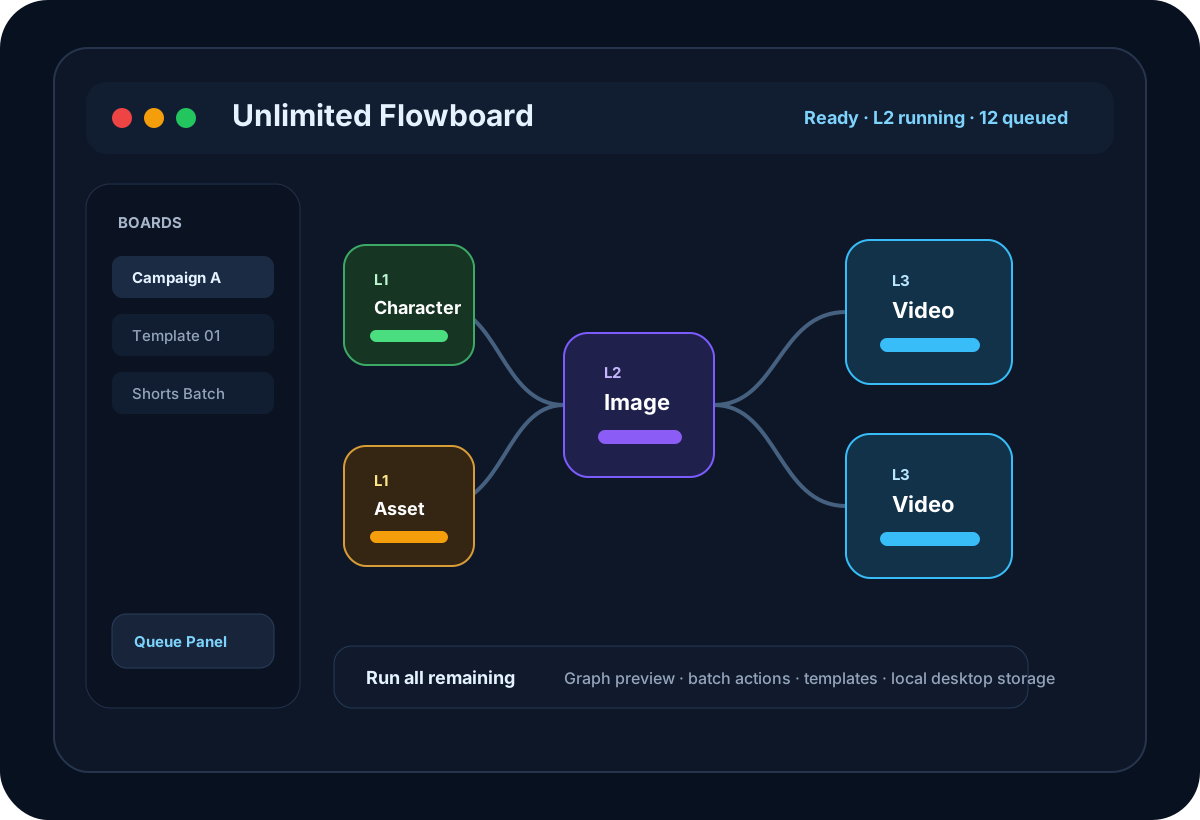
Unlimited Flowboard is a desktop AI workflow canvas for planning, generating, and managing image-to-video production pipelines.

Unlimited Flowboard
Product overview

A production canvas for AI media workflows

Unlimited Flowboard is built for creators who need to turn repeatable AI media work into a clean production system. Instead of jumping between separate prompts, uploads, image generations, and video generations, you can map the whole workflow on one desktop canvas.

Use nodes for characters, visual assets, images, videos, storyboards, prompts, and notes. Connect them with dependency edges, preview what is ready or blocked, then run the whole board, one level, selected nodes, or a downstream branch.

The app is especially useful for campaign production, product creative, short video pipelines, AI storyboards, and any workflow where one reference image or prompt needs to feed many image-to-video outputs.

Important: Unlimited Flowboard is designed to work with your own Google Flow access. To use the generation workflow properly, you must have either a Google Pro account or a Google Ultra account.
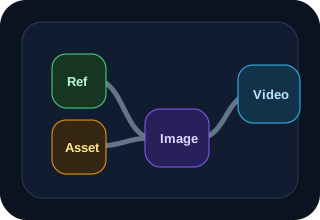
  • Build connected workflows with Character, Visual Asset, Image, Video, Storyboard, Prompt, and Note nodes.
  • Preview graph status before running: ready, blocked, skipped, missing prompt, done, and failed.
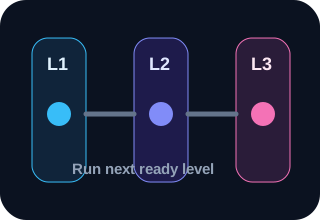
  • Run all remaining nodes, the next level, selected nodes, or only a downstream branch.
  • Manage queue, progress, prompt history, templates, aliases, and local desktop storage.
Content

What you can build with Unlimited Flowboard

A focused view of the workflow tools, production controls, and repeatable run options.

Product content

Build repeatable AI production systems

Unlimited Flowboard gives creators a structured way to turn ideas, prompts, references, and generated media into a reusable production workflow. Instead of manually tracking every prompt and output, you can design a visual graph where each node has a clear role and every dependency is visible.

Use your Google Pro or Google Ultra account

Unlimited Flowboard does not replace Google Flow access. It is a desktop workflow layer built to help you organize and accelerate production while using your own Google Pro or Google Ultra account. One of these accounts is required to take advantage of Flow-based image and video generation.

Image and simple video workflows

With a supported Google Pro or Google Ultra account, you can use Unlimited Flowboard to repeatedly create image outputs, organize many image nodes, and run simple video generation workflows from prepared prompts, references, and upstream images. The app helps you manage the production graph, queue, levels, aliases, and generated media so large workflows stay readable.

From planning to generation

Create character references, visual assets, image nodes, video nodes, storyboard notes, and prompt nodes on one canvas. Connect the graph, preview what is ready, then run only the level or branch you need.

Designed for large boards

Aliases, graph levels, queue progress, validation, batch actions, and templates keep large workflows readable. This makes Unlimited Flowboard useful for repeated campaigns, short-form video production, product creative, and AI storytelling workflows.

Workflow execution

  • Plan multi-step image-to-video production pipelines visually.
  • Repeatedly create image outputs through your Google Pro or Google Ultra account.
  • Create simple video workflows from prompts, references, and upstream image nodes.
  • Generate image and video nodes with upstream context and smart auto-prompts.
  • Preview graph status before running, including ready, blocked, skipped, and failed nodes.
  • Batch-edit selected nodes for variants, video quality, aspect ratio, media clearing, and status reset.

Production controls

  • Level-based execution for large workflows.
  • Run all, next level, selected nodes, this node, downstream, or rerun from a branch.
  • Queue and activity panels for request history, progress, and canceling queued jobs.
  • Workflow templates, auto alias by level/type, and arrange-by-level layout for large boards.
Pricing

Plans for everyone

Choose the plan that fits your needs. No hidden fees, cancel anytime.

Monthly plan icon

Monthly

$10

Billed monthly


  • 1 activated desktop machine
  • Visual workflow canvas
  • Run graph by level, selection, or downstream branch
  • Queue, progress, templates, and batch actions
  • 1 month of license access
Get Monthly →
1 Year plan icon

1 Year

$70

Best long-term value


  • 1 activated desktop machine
  • Visual workflow canvas
  • Run graph by level, selection, or downstream branch
  • Queue, progress, templates, and batch actions
  • 12 months of license access
Get 1 Year →
Lifetime plan icon

Lifetime

$100

One-time payment


  • 1 activated desktop machine
  • Visual workflow canvas
  • Run graph by level, selection, or downstream branch
  • Queue, progress, templates, and batch actions
  • Lifetime license with no renewal date
Get Lifetime →
Benefits

Why Unlimited Flowboard matters

Visual Workflow Canvas

Visual Workflow Canvas

Design production pipelines as connected nodes instead of repeating manual steps in separate tools.
Level-Based Graph Runs

Level-Based Graph Runs

Run the whole board, the next ready level, selected nodes, or only the downstream branch from a specific node.
Smart Auto-Prompt

Smart Auto-Prompt

Generate prompt drafts from upstream context, image briefs, and node relationships to move faster across large boards.
Batch Controls

Batch Controls

Update variant count, video quality, aspect ratio, generated media, and node status across selected nodes safely.
Queue and Progress Tracking

Queue and Progress Tracking

Monitor running and queued jobs, inspect activity history, and cancel queued work directly from the desktop app.
Desktop Local Workspace

Desktop Local Workspace

Use a packaged desktop app with local storage for boards, media, templates, settings, and workflow history.

What is Unlimited Flowboard

  • A desktop workflow canvas for AI image and video production.
  • Requires your own Google Pro or Google Ultra account to use Flow generation features.
  • Build reusable node graphs with character, visual asset, image, video, storyboard, prompt, and note nodes.
  • Run complex workflows by level, selected nodes, downstream branches, or the full board.
  • Keep media, boards, templates, queue state, and settings in local desktop storage.
Get started

How to get Unlimited Flowboard

Follow these simple steps to get up and running quickly.

Choose a plan

Choose a plan

Select Monthly, 6 Months, 1 Year, or Lifetime and complete checkout to receive your license key.

Install the desktop app

Install the desktop app

Download and open Unlimited Flowboard on your computer. The app prepares the local workspace automatically.

Activate your license

Activate your license

Paste your license key into the activation screen. The license is linked to your machine ID.

Build and run workflows

Build and run workflows

Create boards, connect nodes, generate prompts, run levels, and manage your media queue from one canvas.

Our customers love us, and you will too

Jenny Wilson

Jenny Wilson

IBM

I love how versatile this product is! It fits perfectly into my daily routine and has improved my productivity significantly.

Annette Black

Annette Black

MasterCard

Using this product has been a game-changer for me. It's intuitive, well-designed, and has saved me a lot of time.

Jacob Jones

Jacob Jones

Starbucks

As someone who values efficiency, I can confidently say this product delivers. It's user-friendly and has exceeded my expectations.

45.000 +

Users from all worldwide countries

185.000 +

Purchases for top 5 plugins

66 +

Merchants in 15 countries

26 +

SEO support experts in different languages

FAQ

Frequently asked questions

Everything you need to know about the product and billing.

What is Unlimited Flowboard?

Unlimited Flowboard is a desktop workflow canvas for planning, generating, and managing AI image-to-video production pipelines with connected nodes, prompts, media outputs, and queue tracking.

Who is Unlimited Flowboard built for?

It is built for creators, agencies, marketers, and production teams that need repeatable AI media workflows for storyboards, product creatives, short videos, campaign assets, and visual content systems.

Do I need a Google Pro or Google Ultra account?

Yes. Unlimited Flowboard is a workflow layer for Google Flow production. You must have either a Google Pro account or a Google Ultra account to use the Flow-based image and video generation features.

Can I create many images with Google Pro or Google Ultra?

Yes. Unlimited Flowboard helps you organize repeated image creation workflows with your Google Pro or Google Ultra account, including multiple image nodes, variants, prompts, references, and queued generation steps.

Can I create simple videos with Google Pro or Google Ultra?

Yes. You can prepare simple video workflows from prompts, upstream images, references, and connected nodes, then run those video nodes through your supported Google Pro or Google Ultra Flow access.

Does Unlimited Flowboard run as a desktop app?

Yes. Unlimited Flowboard is packaged as a desktop app with local workspace storage for boards, media, settings, templates, request history, and workflow state.

How does level-based running work?

The app calculates node levels from graph dependencies. Nodes without incoming connections start at level one, and downstream nodes move to later levels based on their inputs.

Can Unlimited Flowboard detect blocked nodes?

Yes. The graph preview shows ready, blocked, skipped, missing prompt, done, failed, queued, and running states so you can fix issues before starting a large run.

How does licensing work?

After purchase, you receive a license key. The desktop app activates the key against a stable machine ID and periodically checks that the license is still valid.

What happens when my license expires?

If the license expires, the desktop app returns to the activation screen and shows the product URL so you can renew or choose another plan.