About
About
What is Unlimited Flowboard?
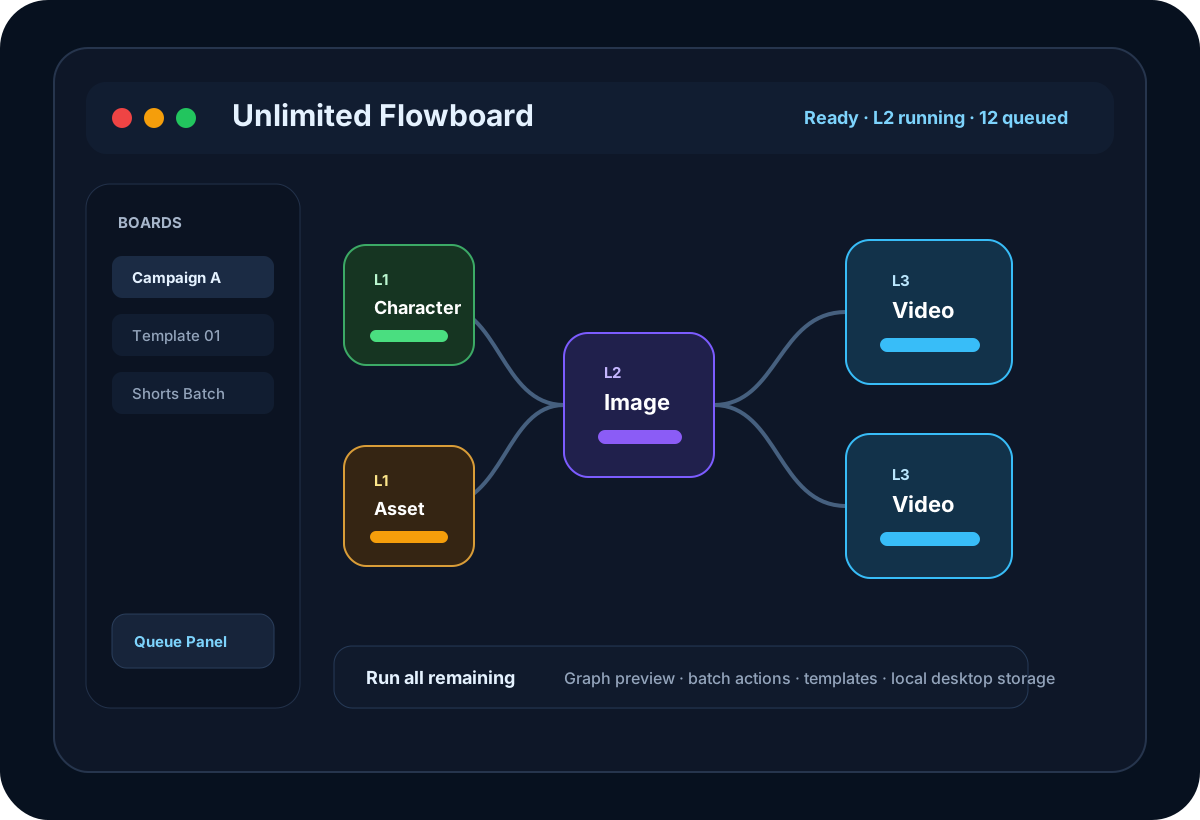
Unlimited Flowboard is a desktop AI workflow canvas for planning, generating, and managing image-to-video production pipelines.
Capabilities
What Unlimited Flowboard Can Do
Discover the powerful features and capabilities
- Plan multi-step image-to-video production pipelines visually.
- Repeatedly create image outputs through your Google Pro or Google Ultra account.
- Create simple video workflows from prompts, references, and upstream image nodes.
- Generate image and video nodes with upstream context and smart auto-prompts.
- Preview graph status before running, including ready, blocked, skipped, and failed nodes.
- Batch-edit selected nodes for variants, video quality, aspect ratio, media clearing, and status reset.
- Level-based execution for large workflows.
- Run all, next level, selected nodes, this node, downstream, or rerun from a branch.
- Queue and activity panels for request history, progress, and canceling queued jobs.
- Workflow templates, auto alias by level/type, and arrange-by-level layout for large boards.
Details
Detailed Information
Build repeatable AI production systems
Unlimited Flowboard gives creators a structured way to turn ideas, prompts, references, and generated media into a reusable production workflow. Instead of manually tracking every prompt and output, you can design a visual graph where each node has a clear role and every dependency is visible.
Use your Google Pro or Google Ultra account
Unlimited Flowboard does not replace Google Flow access. It is a desktop workflow layer built to help you organize and accelerate production while using your own Google Pro or Google Ultra account. One of these accounts is required to take advantage of Flow-based image and video generation.
Image and simple video workflows
With a supported Google Pro or Google Ultra account, you can use Unlimited Flowboard to repeatedly create image outputs, organize many image nodes, and run simple video generation workflows from prepared prompts, references, and upstream images. The app helps you manage the production graph, queue, levels, aliases, and generated media so large workflows stay readable.
From planning to generation
Create character references, visual assets, image nodes, video nodes, storyboard notes, and prompt nodes on one canvas. Connect the graph, preview what is ready, then run only the level or branch you need.
Designed for large boards
Aliases, graph levels, queue progress, validation, batch actions, and templates keep large workflows readable. This makes Unlimited Flowboard useful for repeated campaigns, short-form video production, product creative, and AI storytelling workflows.
Interested in Unlimited Flowboard?
Get started today and experience the power of this product